
Top 5 Underrated Features in HubSpot
Discover How These Hidden Gems Can Transform Your ABM Strategy

If you use HubSpot for Account-Based Marketing (ABM), you’re probably familiar with its core features.
But are you leveraging these hidden gems that can truly elevate your strategy?
Here are five overlooked features in HubSpot, along with step-by-step instructions and tips to make the most of them.
1. Buyer Intent
The Buyer Intent helps you go beyond surface-level targeting focus on accounts with high engagement and intent.
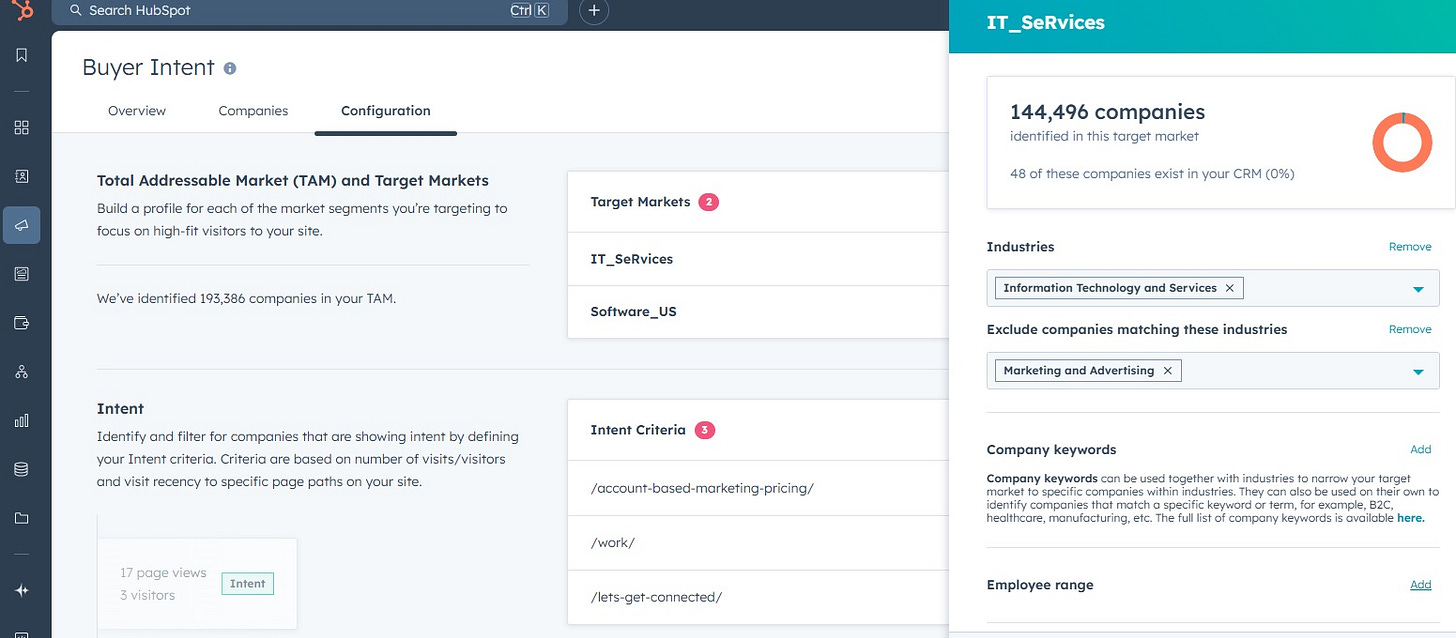
Set Up Your Total Addressable Market (TAM):
Go to Buyer Intent.
On Configuration Tab, Click add Target Market
Add your relevant setting for Industry, Keywords and other filters.
Edit your Intent Criteria for the pages as well.
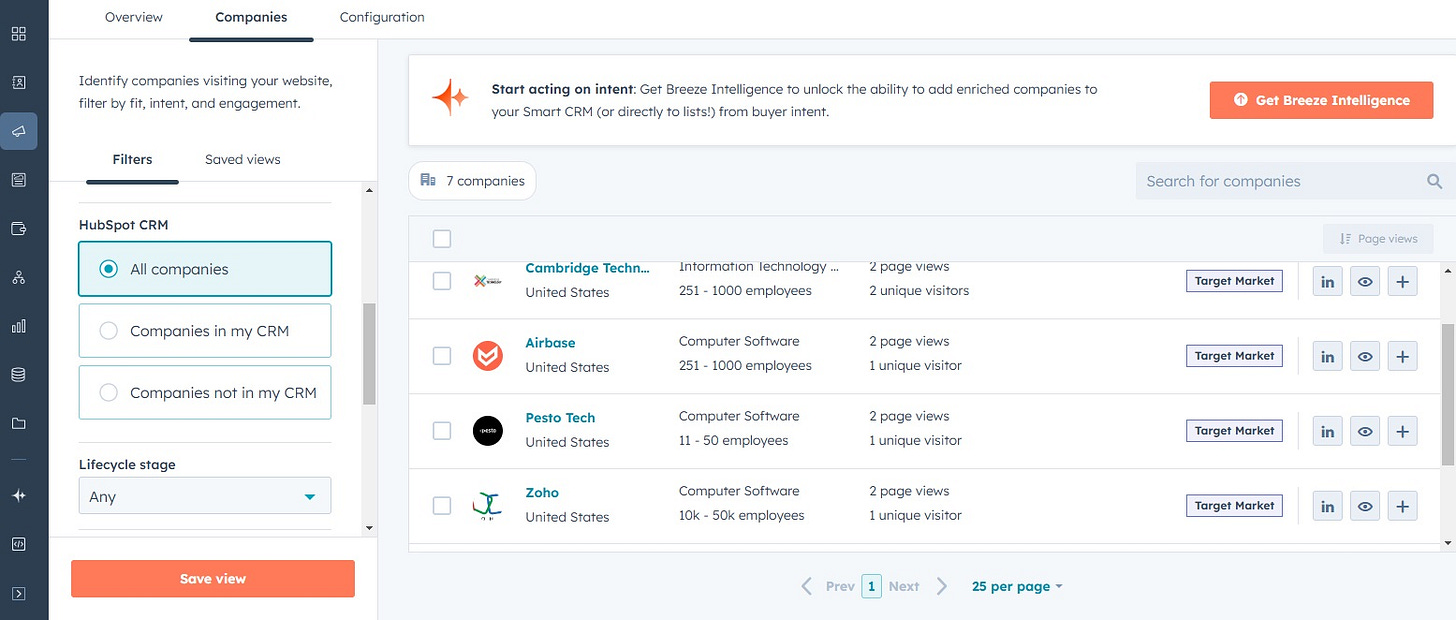
Monitor Page-Specific Insights:
Navigate to the companies tab to track which companies are visting your key pages from your CRM and outside.
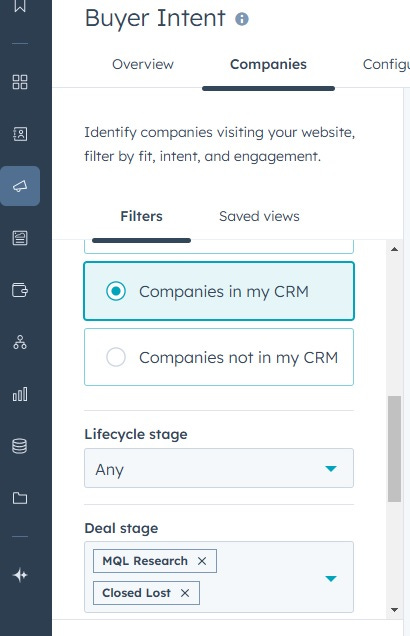
Apply Advanced Filters:
Use advanced filters like deal stage, lifecycle stage, and traffic source to focus on priority accounts.
💡 Prioritize high-intent accounts and sync the list with your sales team.


2. LinkedIn-HubSpot Integration
To do this I use HubLead. You can use other tools too and integrate directly with a LinkedIn Core advanced Subscription.
Set Up LinkedIn Integration:
Register on Hublead and link your LinkedIn Sales Navigator account.
Integrate Hublead with Hubspot now.
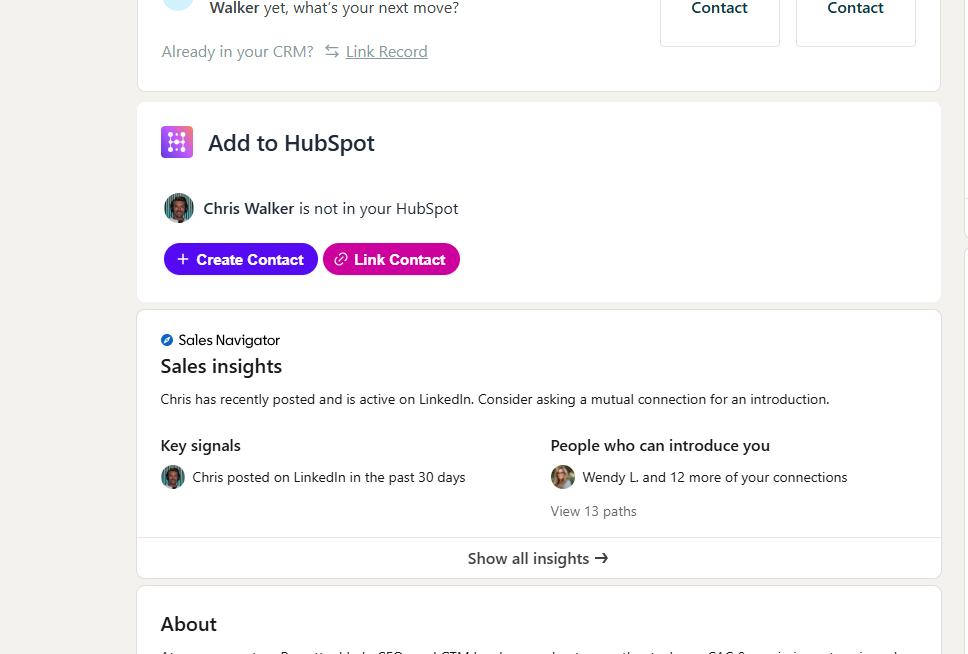
Push LinkedIn Contacts into HubSpot:
Use Sales Navigator to find leads and push them to HubSpot.
You can create a new record or enrich an existing target account with the updated information.
Sync LinkedIn Conversations:
Automatically log LinkedIn conversations in HubSpot by activating the Conversations Sync feature.
💡 Use LinkedIn activity insights to personalize outreach and improve engagement.

3. Deal Tags
Visual tags make it easy to prioritize deals and guide your sales team’s next steps.
Step-by-Step Instructions:
Create Custom Tags:
First create an active list with the filter you need like webinar attendees list or linkedin connection request sent.
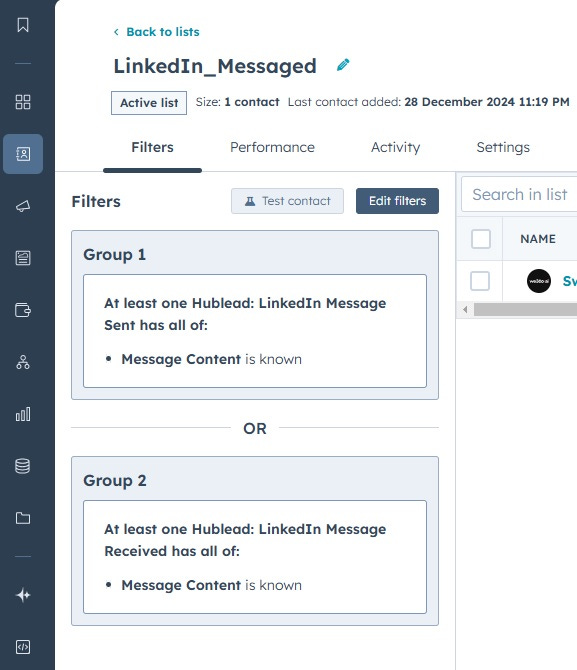
Now, Go to Settings > Deals > Pipelines-Deal Tags to create labels for specific buyer actions (e.g., “Webinar Attended” or “Job Change”).
Apply Tags in Pipelines:
Edit Deal Tags and name your tag and give your description to understand.
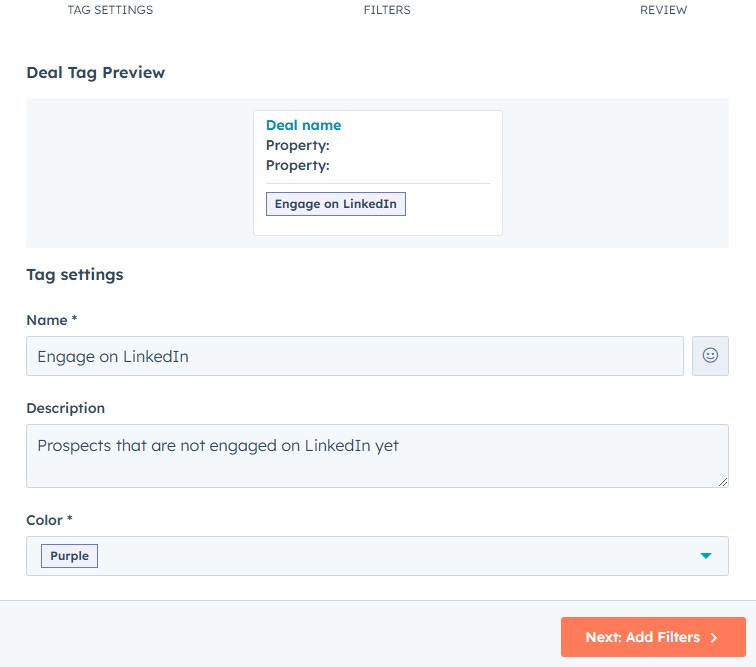
Go to Filters and set your criteria for list membership.
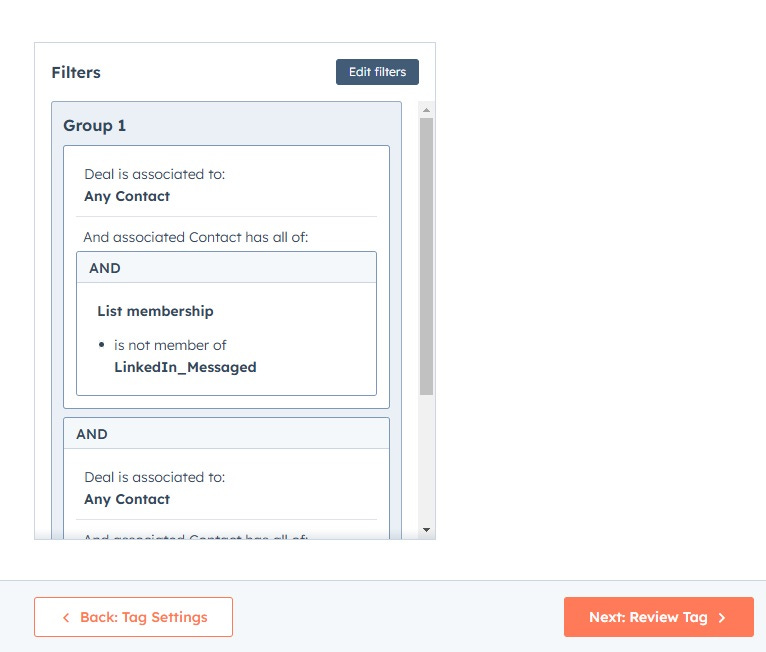
Use Color-Coded Tags:
Assign colors to tags for better visibility in your pipeline view.
💡 Train your team to use tags consistently to avoid losing critical buyer insights.


4. Ads Integration
HubSpot’s ads integration provides a unified view of your retargeting efforts across platforms.
Step-by-Step Instructions:
Connect Your Ad Accounts:
Go to Marketing > Ads and integrate your LinkedIn, Google, or Facebook ad accounts.
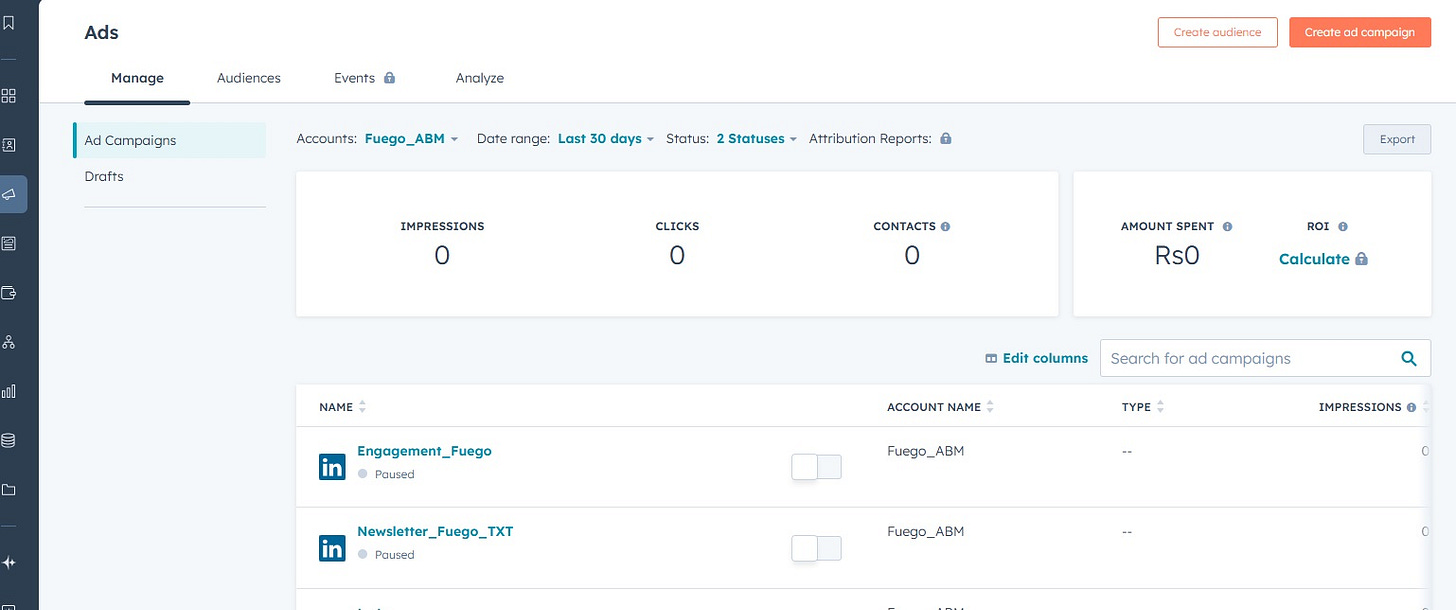
Monitor the Ad Performance Dashboard to see impressions, clicks, and conversions.
Create workflows to trigger follow-ups when contacts engage with ads.
💡 Use ad engagement data to refine your retargeting and nurturing sequences.

5. Custom Objects for Reporting(Will write on this in detail in my upcoming posts)
Custom objects give you flexibility to track and analyze account-level insights.
Step-by-Step Instructions:
Create Custom Objects:
Go to Settings > Data Management > Custom Objects to set up properties like “Campaign Milestones” or “Account Health.”

Define Tailored Properties:
Create properties that update automatically through workflows (e.g., “Reason for Closed-Won”.
Generate Advanced Reports:
Build dashboards to compare metrics like “Closed-Won Reasons vs. Closed-Lost Reasons.”

💡 Use trends from custom objects to improve your ABM strategy over time.